In today’s interconnected world, reliable and seamless WiFi coverage throughout your home or office is not a luxury—it’s a necessity. As our reliance on smart devices and high-definition streaming grows, so too does the demand for stable, high-speed internet in every corner of our space. Whether you’re considering setting up multiple routers in a large home or updating a small business network, deploying three WiFi routers effectively means choosing between two main strategies: Mesh networking and traditional Access Point configurations.
TLDR
If you’re looking to optimize wireless coverage across a large area with minimal setup and intelligent device handoffs, a Mesh WiFi system is ideal. It automatically manages connections, reduces dead zones, and is user-friendly. However, if you prefer more control, better performance per dollar, and already have technical proficiency, setting up traditional routers as Access Points (APs) might be the way to go. Your choice largely depends on your budget, tech skills, and need for scalability.
Understanding the Basics
Before you begin setting up three routers in your space, it’s important to understand the difference between two common approaches:
- Mesh WiFi System: A unified network composed of a main router and multiple satellite nodes that work together seamlessly. All nodes communicate with each other dynamically and form a single network with one SSID (network name).
- Access Points (APs): Traditional routers or dedicated APs connected to the main router via Ethernet or occasionally wireless backhaul. Each AP expands the network coverage but often requires separate configuration and, if not set correctly, can result in a different SSID unless configured in a unified manner.
When to Choose a Mesh WiFi System
Mesh networks are perfect for users looking for simplicity, seamless roaming, and intelligent connectivity management. A well-programmed mesh system—consisting of three coordinated WiFi routers—offers the following advantages:
- Simplified Setup: Most mesh systems are designed for plug-and-play use. With a user-friendly app, your three routers sync automatically.
- Seamless Roaming: Devices automatically connect to the node with the strongest signal, ensuring stability as you move throughout your space.
- Single SSID: One network name means fewer connectivity hiccups and a more cohesive internet experience.
- Dynamic Routing: If one node goes down, the system automatically re-routes traffic through the next available node.
- Remote Management: Many mesh systems allow updates, monitoring, and parental controls via mobile apps.

Popular Mesh router brands include Google Nest WiFi, Netgear Orbi, TP-Link Deco, and Eero. These products are built specifically for ease of use and whole-home WiFi coverage with three or more nodes.
Potential Drawbacks of Mesh
- Higher Cost: Mesh systems can be more expensive upfront than traditional router setups.
- Performance Concerns: Some mesh systems use a single band for both client and inter-node communication, resulting in slower speeds unless using tri-band nodes or dedicated backhaul connections.
- Limited Advanced Settings: Many mesh systems lack the customization offered by traditional routers, which can frustrate tech-savvy users.
Setting Up WiFi Routers as Access Points
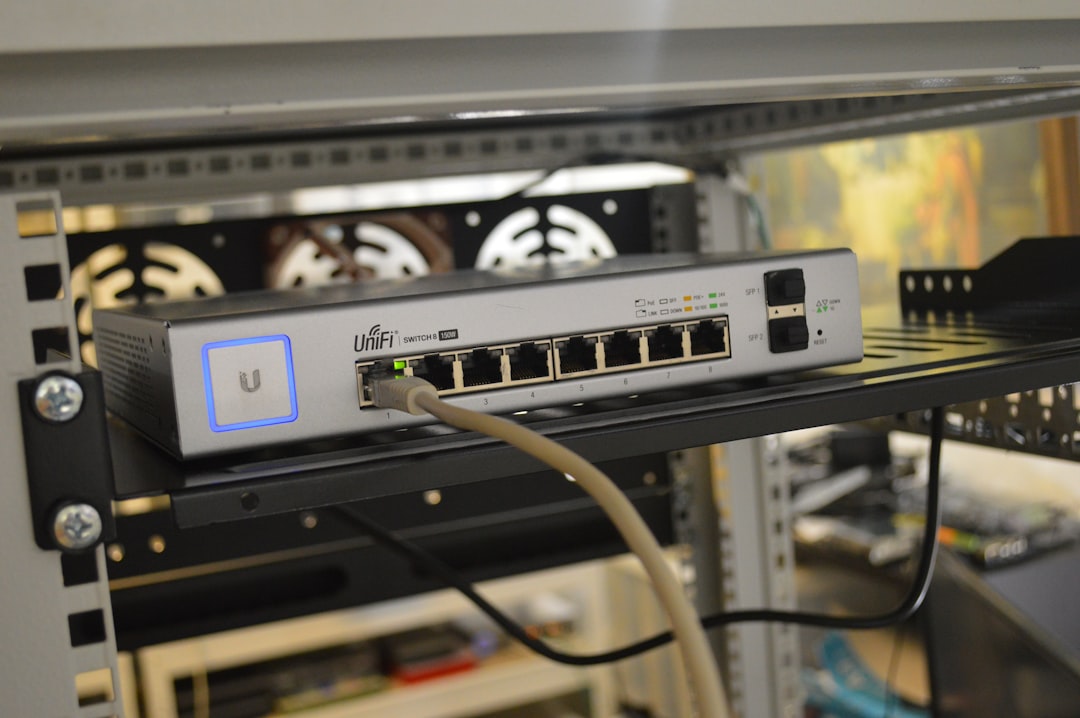
Using three routers as Access Points (APs) gives you granular control and often provides better raw performance, assuming good planning and network knowledge. This setup involves configuring one router as the main unit connected to the modem, and then using Ethernet cable (preferably) to link the other routers as APs, either by disabling their routing capabilities (bridge/AP mode) or configuring them as switches or repeaters.
Benefits of this approach include:
- Lower Cost: You can repurpose existing routers or purchase less expensive models compared to a full mesh system.
- Customizability: Full control over settings such as DHCP, firewall rules, and advanced port forwarding configurations.
- Potentially Higher Speed: Wired APs usually provide more stable and faster connections, avoiding the performance hit of wireless backhaul.
- Better for Power Users: Suitable for those who understand networking fundamentals and can optimize performance manually.
Challenges with Using Routers as Access Points
- Complex Setup: Requires manual IP configuration, DHCP management, and ensuring SSID consistency for seamless device roaming.
- Inconsistent Roaming: Devices may cling to a weaker AP instead of switching dynamically unless roaming is optimized through settings or controller software.
- Cabling Requirements: Wired backhaul is highly recommended for stability, which may not be feasible in all homes or offices without significant setup work.
Key Considerations for Any Setup
Regardless of whether you go with Mesh or APs, keep the following best practices in mind when deploying a three-router system:
- Strategic Placement: Avoid clustering routers too close or placing them in signal-blocking areas. Distribute them evenly across the space in high-demand zones.
- Minimize Interference: Keep equipment away from microwaves, cordless phones, and heavy electronics. Use the 5GHz band for performance and 2.4GHz for range-sensitive devices.
- Update Firmware: Ensure all routers are running the latest firmware versions for security and performance enhancements.
- Test Connection Quality: Use tools like Speedtest or built-in mesh app diagnostics to evaluate signal quality in various locations.
Choosing the Right Configuration for You
So, should you choose a Mesh WiFi system or configure routers as Access Points? Here’s a quick comparison:
| Feature | Mesh WiFi | Access Points |
|---|---|---|
| Ease of Setup | Simple app-based installation | Requires manual configuration |
| Roaming Efficiency | Seamless transitions between nodes | May be inconsistent |
| Cost | Typically higher | Can be affordable (reuse old routers) |
| Customizability | Limited in some systems | Full router control and settings |
| Performance | Moderate to high (tri-band superior) | High if using wired connections |
Final Thoughts
Setting up three WiFi routers effectively depends on your unique space, performance expectations, and technical experience. If you value convenience, seamless coverage, and minimal maintenance, a Mesh system is a smart investment. On the other hand, if you prefer fine-grained control, have Ethernet cabling in place, and want to repurpose old routers, the Access Point model might be your best bet.
Ultimately, the decision comes down to a balance between simplicity and control. Make sure to assess your environment’s layout, your overall networking knowledge, and the needs of multiple users and devices in the system. With careful planning, either approach can deliver the reliable, high-speed coverage you’re seeking.