Modern websites often ship far more CSS than they actually use. As projects evolve, styles accumulate, frameworks add layers of abstraction, and unused selectors quietly bloat production bundles. Over time, this excess CSS slows down page loads, complicates maintenance, and negatively impacts user experience—especially on mobile networks.
TLDR: CSS optimization tools like PurgeCSS help remove unused styles from your projects, significantly reducing file size and improving performance. By scanning your HTML, JavaScript, and template files, these tools detect which selectors are actually used and eliminate the rest. When configured correctly, they integrate seamlessly into modern build pipelines and can dramatically improve load times. However, careful setup is essential to avoid removing dynamically generated styles.
In an era where performance metrics directly influence SEO rankings and conversion rates, optimizing CSS is no longer optional. It is a fundamental best practice for serious web development teams.
The Growing Problem of Unused CSS
CSS bloat typically happens for several reasons:
- Large UI frameworks (such as utility-first or component libraries)
- Legacy styles that were never removed
- Rapid prototyping and iterative feature changes
- Overly broad third-party components
Frameworks like Tailwind CSS or Bootstrap provide robust styling systems, but they can generate thousands of selectors. Even modular CSS structures are not immune if dead code is never pruned.
Unused CSS has measurable downsides:
- Increased page load time
- Higher bandwidth consumption
- Slower rendering and style recalculation
- Lower Lighthouse performance scores
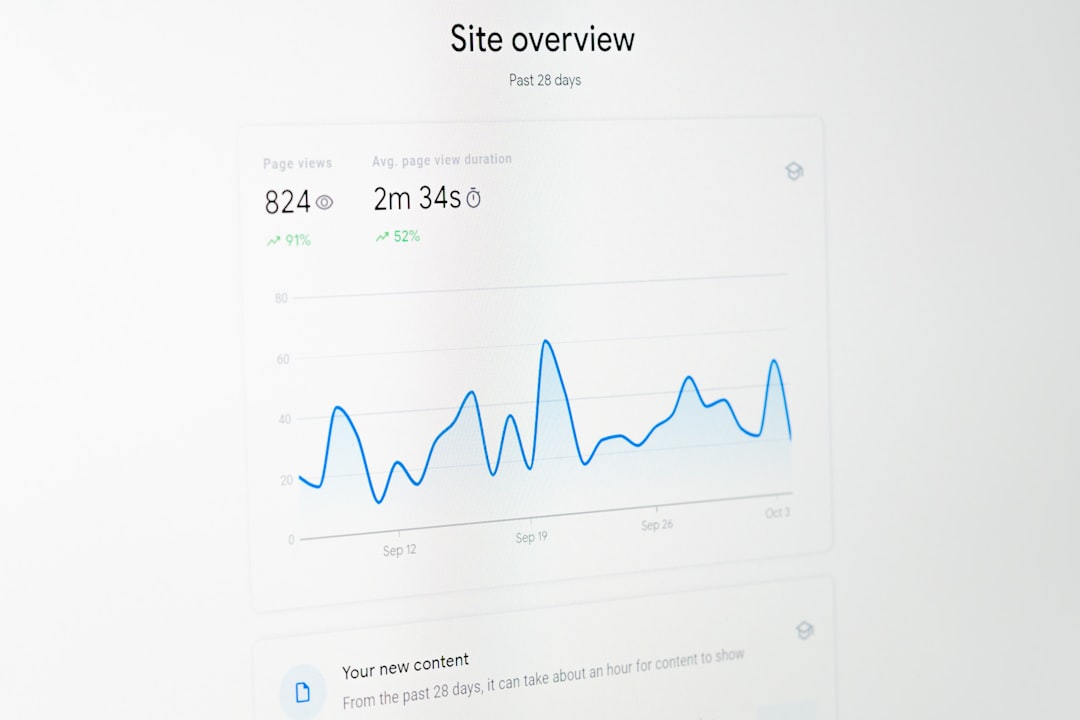
For high-traffic production systems, even shaving 100KB off a stylesheet can translate into significant performance gains and cost savings.
How CSS Purging Works
Tools like PurgeCSS operate through a relatively straightforward mechanism:
- Scan project content files (HTML, JS, JSX, Vue, PHP, etc.).
- Extract all used selectors (classes, ids, tags).
- Compare them against the compiled CSS file.
- Remove any unused rules.
The result is a production-ready stylesheet containing only what the application actually renders.
However, this process requires precision. Modern frameworks frequently generate classes dynamically (for example, conditional class names in React). If not configured carefully, a purging tool may remove styles that are used at runtime.
PurgeCSS: The Industry Standard
PurgeCSS is one of the most widely adopted tools for eliminating unused CSS. It works as a standalone tool and integrates easily with build systems such as:
- Webpack
- PostCSS
- Vite
- Gulp
- Rollup
Key features of PurgeCSS:
- Content-based CSS scanning
- Support for multiple file types
- Safelisting options to protect dynamic classes
- Deep integration with modern JavaScript frameworks
A simple PostCSS configuration often looks like this:
require('@fullhuman/postcss-purgecss')({
  content: ['./src//*.html', './src//*.js'],
  safelist: ['active', 'open', /^modal-/]
})
The safelist option is especially important. It ensures that specific selectors—or regular expression patterns—are never removed.
Other CSS Optimization Tools
While PurgeCSS is widely recognized, it is not the only solution. Several alternatives and complementary tools exist, each with different strengths.

1. UnCSS
UnCSS predates PurgeCSS and works by loading HTML pages in a headless browser to determine which styles are actually used. While effective, it can be slower and less flexible with modern JavaScript-heavy applications.
2. Tailwind’s Built-In Purge (Content) Feature
Tailwind CSS includes content scanning directly in its configuration. In production mode, unused utilities are automatically removed, making Tailwind projects highly optimized by default.
3. Lightning CSS
Lightning CSS focuses primarily on fast transformations and minification, but includes optimizations that eliminate redundant rules. It is built with performance in mind and written in Rust.
4. CSSNano
CSSNano is not strictly a purging tool. Instead, it focuses on minification and rule merging. While it does not remove unused selectors based on content scanning, it significantly reduces CSS size through compression techniques.
Comparison Chart of CSS Optimization Tools
| Tool | Removes Unused CSS | Framework Compatibility | Speed | Best Use Case |
|---|---|---|---|---|
| PurgeCSS | Yes | High | Fast | Modern JS frameworks and custom builds |
| UnCSS | Yes | Moderate | Slower | Static or simple sites |
| Tailwind Content | Yes | Tailwind Only | Very Fast | Utility-first projects |
| Lightning CSS | Partial | High | Very Fast | High performance build pipelines |
| CSSNano | No (minification only) | High | Fast | Final output compression |
Best Practices for Safe Implementation
Removing unused CSS sounds simple, but improper configuration can break layouts. Experienced teams follow several best practices:
- Use explicit content paths to avoid missing templates.
- Safelist dynamic selectors generated by JavaScript.
- Test production builds thoroughly, not just development versions.
- Pair purging with minification for maximum reduction.
In dynamic applications (React, Vue, Angular), class names may be constructed programmatically. For example:
<div className={`btn-${variant}`}>Without a corresponding safelist pattern like /^btn-/, PurgeCSS could remove those styles entirely.
Another recommended approach is running purge tools only in production builds. During development, complete stylesheets provide flexibility and reduce debugging friction.
Performance Gains in Real-World Projects
In practice, teams frequently report:
- 50–90% reduction in CSS bundle size
- Faster First Contentful Paint (FCP)
- Improved Core Web Vitals scores
- Reduced CDN bandwidth costs
For example, a 500KB stylesheet may shrink to under 100KB after purging unused framework utilities. At scale, this can significantly reduce server load and improve user satisfaction.
When Not to Use CSS Purging
Despite its advantages, CSS purging may not always be necessary:
- Very small projects with minimal CSS
- Rapid prototypes where optimization is premature
- Applications with heavy runtime style injection
In highly dynamic systems that generate styles at runtime, static analysis tools may struggle to accurately detect usage. In such cases, alternative architectural approaches—like CSS-in-JS or scoped styling—may offer better maintainability.
The Strategic Value of CSS Optimization
CSS optimization is not merely a technical refinement; it is a strategic decision aligned with performance engineering principles. Faster websites:
- Rank better in search engines
- Convert at higher rates
- Provide better mobile experiences
- Reduce infrastructure costs
Tools like PurgeCSS fit naturally into modern CI/CD pipelines. Once configured, they operate silently in the background, continuously ensuring that only necessary styles reach production.
In serious web development environments, unused CSS is technical debt. Actively removing it through reliable tooling demonstrates engineering discipline and long-term thinking.
Conclusion
CSS optimization tools such as PurgeCSS provide a practical, scalable solution for eliminating unused styles. When integrated properly, they significantly reduce bundle size while preserving layout integrity. Complementary tools like CSSNano and Lightning CSS further enhance performance through advanced transformations and compression.
The key to success lies in careful configuration, thorough production testing, and an understanding of how your application generates styles. With these safeguards in place, removing unused CSS becomes one of the most impactful and low-risk optimizations available to front-end teams today.
In performance-focused development environments, deploying unused CSS is no longer acceptable. Strategic stylesheet pruning is a professional standard—one that directly supports speed, reliability, and long-term maintainability.