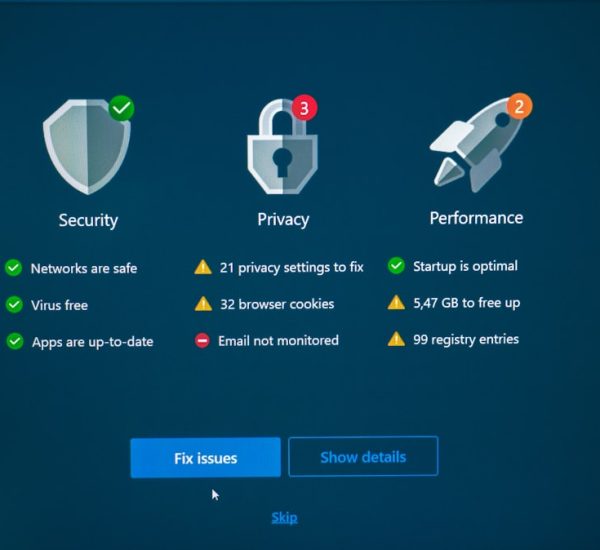
Passwords are the keys to your digital life. Banking. Shopping. Streaming. Work. Social media. Every account needs one. And remembering them all? That’s almost impossible. Sticky notes and reused passwords won’t cut it anymore. You need a smarter solution.
TLDR: Password managers store, create, and protect your passwords so you don’t have to remember them all. They use strong encryption and often include features like autofill, password generators, and dark web monitoring. Choosing the right one depends on your needs, budget, and devices. Below are seven great platforms that make staying secure simple.
Let’s explore seven password management platforms that help you lock down your digital world without losing your mind.
1. 1Password
1Password is clean, simple, and powerful. It’s designed for both individuals and teams. The interface feels friendly. Even beginners can jump in quickly.
What makes it great?
- Strong encryption that keeps your data private.
- Travel Mode to hide sensitive data when crossing borders.
- Password generator that creates complex passwords instantly.
- Secure storage for notes and documents.
You only need to remember one master password. That’s it. The rest is handled for you.
It works on Windows, macOS, iOS, Android, and browsers. Syncing across devices is seamless. Teams especially love the shared vaults.
If you want a balance of security and ease-of-use, 1Password is a solid pick.
Image not found in postmeta2. LastPass
LastPass has been around for years. It’s one of the most recognized names in password management.
It offers:
- Secure password storage.
- Automatic form filling.
- Multi-factor authentication options.
- Password strength reports.
The browser extension is especially handy. Log into a site once, and LastPass remembers it. Next time? One click and you’re in.
There’s a free plan. That makes it attractive for casual users. Paid versions unlock advanced features like emergency access and priority support.
It’s a strong choice for users who want flexibility and a familiar interface.
3. Dashlane
Dashlane goes beyond storing passwords. It focuses heavily on security monitoring.
One standout feature is dark web monitoring. It alerts you if your email or passwords show up in a data breach.
Other key features include:
- One-click password changer.
- Secure digital wallet for payment info.
- VPN for extra browsing privacy (on premium plans).
The dashboard is sleek. Very modern. You can quickly see your password health score. Weak passwords are flagged instantly.
If you want extra protection and proactive alerts, Dashlane is worth a look.
4. Bitwarden
Bitwarden is a favorite among tech-savvy users. Why? It is open source. That means its code can be publicly reviewed for security flaws.
Transparency builds trust.
Bitwarden offers:
- Free unlimited password storage.
- Cross-device syncing.
- End-to-end encryption.
- Affordable premium upgrades.
The free plan is generous. For many users, it’s enough. Paid plans are very budget-friendly.
It may not be as flashy as others. But it’s reliable and secure. Perfect for users who value open-source technology and cost efficiency.
5. Keeper
Keeper focuses heavily on security layers. It’s built with zero-knowledge architecture. That means even Keeper cannot see your stored data.
Security lovers appreciate features like:
- Biometric login support.
- Secure file storage.
- Dark web monitoring add-ons.
- Encrypted messaging.
The interface is intuitive. You can organize passwords into folders. Businesses benefit from advanced admin controls.
Keeper is ideal if you want military-grade encryption and strong enterprise options.
6. NordPass
NordPass is developed by the team behind NordVPN. It carries that same security-first mindset.
One big advantage? It uses modern encryption algorithms designed to resist future threats.
Features include:
- Password health reports.
- Data breach scanner.
- Simple import from browsers.
- Secure notes storage.
The design is minimal. Clean layout. Easy navigation.
NordPass is great for beginners. Especially those already using privacy-focused tools.
7. RoboForm
RoboForm has been around for decades. It started as a form-filling tool. Today, it’s a full-fledged password manager.
It shines in:
- Advanced form filling accuracy.
- Strong password generation.
- Offline access to vaults.
- Affordable pricing.
Its interface feels slightly old-school. But it’s dependable. And often cheaper than competitors.
If you fill out lots of online forms, RoboForm saves serious time.
Why You Should Use a Password Manager
Still unsure if you need one?
Here’s the reality. Most people reuse passwords. If one account gets hacked, others fall like dominoes. Hackers know this. They exploit it daily.
A password manager helps by:
- Creating unique passwords for every account.
- Storing them securely.
- Autofilling login forms safely.
- Alerting you to weak or reused passwords.
You reduce risk immediately. And you reduce stress.
How to Choose the Right One
Not every platform fits everyone. Ask yourself a few simple questions:
- Do I need it for personal use or a team?
- What devices do I use daily?
- Is a free version enough?
- Do I want extras like VPN or dark web monitoring?
If you’re a solo user on a budget, Bitwarden might be perfect. If you run a company, 1Password or Keeper could be better. Want sleek design and alerts? Dashlane shines there.
Think about your habits. Choose what feels easy. You’re more likely to stick with it.
Tips for Better Password Security
A password manager is powerful. But you still play a role.
Follow these tips:
- Use a long master password. Make it memorable but complex.
- Enable two-factor authentication whenever possible.
- Review your password health dashboard regularly.
- Never share your master password.
- Log out from shared devices.
Security works best when layered. Combine smart tools with smart habits.
The Bottom Line
Passwords aren’t going away anytime soon. But remembering dozens of them? That’s outdated.
Password managers make your digital life simpler. And safer. They generate strong passwords. Store them securely. Autofill them instantly. Some even monitor the dark web for leaks.
The best choice depends on your needs. But any of the seven platforms listed here is far better than reusing “password123.”
Start with one. Set it up. Import your accounts. Change weak passwords. It may take an hour today. But it could save you from a nightmare tomorrow.
Security doesn’t have to be complicated. With the right password manager, it becomes automatic.
And that’s one less thing to worry about in your busy digital world.